Stop building dashboards. Start asking.
Tuumo is product analytics you use by asking your AI tool.
Your coding agent adds the tracking with one prompt. Then you ask Claude, ChatGPT, Gemini or Cursor anything about your users, and get answers from your own data in seconds. No dashboards to build, no analytics tool to learn.
1,000,000 events a month included. No credit card.
Did the new onboarding move activation?
Yes. Since the release on Oct 14, 48% of new signups reached project_created on their first day, up from 31%.
 Tuumo · 1 query · 3 credits · saved to history
Works with
- Claude
- ChatGPT & Codex
- Gemini
- Cursor
- Linear
- + any MCP client
You shipped it.Did it move anything?
Shipped features are easy to count. Whether they worked isn't, so most teams never find out.
01
Dashboards nobody opens
Weeks of setup, a hundred charts, and the one question you actually have still needs an analyst.
02
Tracking plans that never ship
Instrumenting the product keeps losing to the next feature. So nobody measures anything.
03
Answers after the sprint
By the time the numbers arrive, the team has already moved on to building the next guess.
Dashboards on demand
The dashboard builds itself.
Ask Claude for last month's overview and it draws one from your Tuumo data: the numbers, the trend, the funnel. Ask again tomorrow and it's fresh. Nobody builds it, nobody maintains it.
- ✓Live from your events: every answer is a fresh query, never a stale chart
- ✓Anyone in the organization can ask, with exactly their own permissions
- ✓Change it by asking a follow-up: "split it by plan", "compare to last month"
Make me a dashboard of last month: signups, activation and the funnel.
Product overview
Last 30 days · updated now
Signups
1,284
+18%
Activated
48%
+17 pts
Week-4 retention
31%
+4 pts
Signups per day
Built from 4 Tuumo queries · ask a follow-up to change it
Everyone asks for the view they need, when they need it.
Or build your own
A custom dashboard, on the Tuumo API.
Need a permanent view: a screen on the office wall, an internal tool, or a report inside your own product? Create an analyst key and query Tuumo from your own code. Or ask your coding agent to build the page for you.
- ✓Analyst keys read and query, and can never send events or change keys, members or settings
- ✓Plain SQL on your events table, JSON back
- ✓Saved queries with parameters keep your dashboard's code small
Request
curl https://mcp.tuumo.fi/mcp \
  -H "Authorization: Bearer $TUUMO_ANALYST_KEY" \
  -H "Content-Type: application/json" \
  -H "Accept: application/json, text/event-stream" \
  --data @- <<'JSON'
{"jsonrpc": "2.0", "id": 1, "method": "tools/call",
 "params": {"name": "query", "arguments": {"sql":
   "SELECT date_trunc('day', occurred_at) AS day, count(DISTINCT user_id) AS signups FROM events WHERE name = 'signup_completed' AND occurred_at > now() - INTERVAL 30 DAY GROUP BY day ORDER BY day"}}}
JSON
The query's result
{"columns": [{"name": "day", "type": "TIMESTAMP"},
             {"name": "signups", "type": "BIGINT"}],
 "rows": [["2026-10-08 00:00:00", 41],
          ["2026-10-09 00:00:00", 37], …],
"row_count": 30, "truncated": false}About 5 minutes, start to finish
Your analytics setup starts here.
No tracking plan meetings. Paste one prompt to your coding agent, and it does the instrumenting while you get a coffee.
- 130 s
Create a key
One API key per app or environment, in the app.
- 22 min
Paste the prompt
Your coding agent adds the tracking and names the events.
- 31 min
Connect your AI tool
Add one address and sign in once.
- 4Now
Ask
In plain language, in the tool you already use.
1. Paste this to your coding agent
Claude Code · Cursor · CodexAdd Tuumo event tracking to this codebase. Send one event per request with POST https://api.tuumo.fi/v1/events and the TUUMO_KEY environment variable. Each event has a name and, when the request or app session has one, a session_id. Track signup, activation and the five most important user actions. Name events object_action in snake_case, for example report_exported. Full reference: https://docs.tuumo.fi/llms.txt
2. Your agent does the rest
Running- ›Reading the codebase…
- ✓Created src/lib/tuumo.ts, one small tracking module
- ✓signup_started, signup_completed in auth/signup.ts
- ✓project_created in projects/create.ts
- ✓report_exported with a format property
- ✓Retries on 408, 429 and 503; stops on 402
- ✓Wrote the tracking plan to docs/tracking-plan.md
Ask about outcomes, not page views.
The questions that tell you whether your product works, retention first. Every answer comes with the numbers behind it.
- Retention“Which week-1 cohort is still active a month later?”
- Activation“Did the new onboarding move activation?”
- Referral“How many invites do new users send in their first week?”
- Revenue“Which events come right before plan_upgraded?”
- Acquisition“Which signup source brings users who stay?”
Keep your tools. Add Tuumo.
Connect in a minute, sign in once, ask anywhere. One address works in every tool: https://mcp.tuumo.fi/mcp
Claude Code
In your terminal
claude mcp add --transport http tuumo https://mcp.tuumo.fi/mcp
Codex
In your terminal
codex mcp add tuumo --url https://mcp.tuumo.fi/mcp
Cursor
In .cursor/mcp.json
{ "mcpServers": { "tuumo": { "url": "https://mcp.tuumo.fi/mcp" } } }Claude, ChatGPT, Gemini, Linear and any MCP client
Add a custom connector or MCP server
https://mcp.tuumo.fi/mcp
Step-by-step guides for every tool: Connect AI tools
GDPR · EU data residency
Your data stays in the EU.
Tuumo runs in Finland on a Finnish cloud, and every sub-processor is European. Answers go only to the AI tools your members choose to connect, and the data processing agreement comes with every plan, the free one too.
- FIHelsinki, FinlandThe service and all your dataUpCloud
- DEFrankfurt, GermanyOff-site database backupsUpCloud
- FRFranceAccount and invitation emailsScaleway
- of your data stored in the EU
- 100%
- sub-processors, both European
- 2
- sub-processors outside the EU
- 0
- breach notice, at the latest
- 72 h
“Doesn't the AI make numbers up?”
No. Every answer is a real query on your own events, and you can check every one of them.
Retention and deletion built in
Choose how long events are kept, export one session's events or the whole workspace, and file deletions in the app.
AI gets your permissions, never more
A connected tool acts with its member's role. Ingest keys can send events but never read.
Every query on the record
Each answer is a real query, kept with its statement, who ran it and what it cost. Run it again any time.
Built for agents
The whole documentation is one file your agent can read: docs.tuumo.fi/llms.txt.
Built for scale
Send everything. We'll keep up.
Every workspace gets storage of its own, and capacity grows with you. Your product never waits for analytics.
89,690
events a second into one ingest server
~1 ms
median response while your product sends
0
events dropped under full load
From our load tests of a single ingest server on a developer machine, with simulated storage. Security and privacy →
Events are on us. Pay for the asking.
Every workspace includes 1,000,000 events a month. Plans are per member, so only the people who ask a lot pay. Everyone else stays on Free.
Free
€0/ member / month
500 query credits
Every member starts here
- ✓Queries up to 2 GiB and 60 s
- ✓Results kept 7 days
- ✓20 saved queries
Pro
€10/ member / month
20,000 query credits
+100,000 events for the workspace
- ✓Queries up to 4 GiB and 5 min
- ✓Results kept 30 days
- ✓200 saved queries
Max
€50/ member / month
100,000 query credits
+1,000,000 events for the workspace
- ✓Queries up to 4 GiB and 15 min
- ✓Results kept 90 days
- ✓2,000 saved queries
Prices exclude VAT and may change with 30 days' notice. See full pricing →
Free resources
Know what to measure.
GOOSE is our framework for going from a goal to the experiment that proves it. The guides and workshop templates are free. Tuumo measures what they help you choose.
- 1Goal
- 2Outcome
- 3Opportunity
- 4Solution
- 5Experiment
 GOOSE frameworkGoals, Outcomes, Opportunities, Solutions, Experiments: a structured way to navigate uncertainty, make better decisions and keep learning.
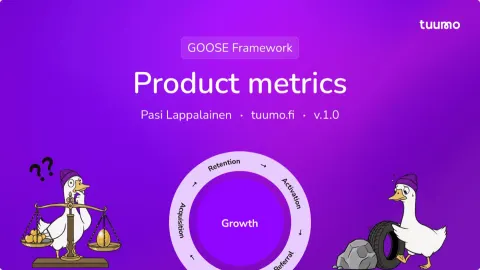 Product metricsDefine clear, actionable metrics aligned with business outcomes, using the retention-first RARRA flywheel.
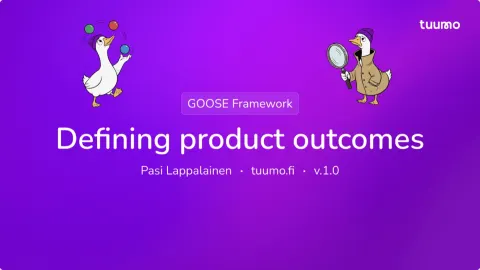 Defining product outcomesIdentify critical bottlenecks, map dependencies, prioritize high-impact problems and define SMART outcomes.
Questions, answered
Do I need to build dashboards?
No, there are none to build. You ask your AI tool, and it queries your events and answers with the numbers.
Which AI tools work with Tuumo?
The ones you already use: Claude, ChatGPT and Codex, Gemini, Cursor, Linear and any other MCP client. Add one address and sign in once.
Doesn't the AI just make numbers up?
Every answer comes from a real query on your events. Every query is kept in the history with its statement, and its result for 7 to 90 days depending on the plan, so you can check it or run it again.
Can the AI see or change everything?
A connected tool has exactly the permissions of the member who connected it, never more. No AI tool can change members or delete the workspace, and only a tool an admin connected can manage keys or file deletions.
Where is my data stored?
In UpCloud's data center in Helsinki, Finland, with off-site backups in their Frankfurt data center: all in the EU. You choose how long events are kept, and you can export a session's events or delete a person's data from the app.
Is it safe to put the key in my app?
Yes, if it's an ingest key: it can send events and never read data back. Keep analyst and admin keys on your server.
Your product has answers.Go ask.
One prompt to set it up. One question to get your first answer. That's the whole onboarding.
- ✓ 1,000,000 events a month free
- ✓ Data stored in the EU
- ✓ No credit card